Language Server (LSP) Setup & Code Intelligence
px0 operates with zero initial configuration, discovering language servers directly on your PATH and standard binary locations (~/.local/bin, /usr/local/bin, npm global prefix).
+-------------------+      JSON-RPC over stdio      +---------------------+
| px0 Backend       | <===========================> | Language Server     |
| (Lazy lifecycle)  |                               | (gopls, pyright...) |
+-------------------+                               +---------------------+
          |
          v
+-------------------+
| Fallback Engine   | (Used when no LSP installed: instant regex outlines)
+-------------------+
Supported Language Servers
px0 automatically detects and connects to the following language servers when installed:
| Language | Language Server | Recommended Installation |
|---|---|---|
| Go | gopls |
go install golang.org/x/tools/gopls@latest |
| Rust | rust-analyzer |
rustup component add rust-analyzer |
| TypeScript / JS | typescript-language-server |
npm install -g typescript-language-server typescript |
| Python | pyright, pylsp, or ruff |
npm install -g pyright, pip install python-lsp-server, or pip install ruff |
| C / C++ | clangd |
sudo apt install clangd or brew install llvm |
| Zig | zls |
brew install zls |
| Lua | lua-language-server |
brew install lua-language-server |
| Ruby | solargraph |
gem install solargraph |
| Java | jdtls |
brew install jdtls |
| C# | omnisharp |
Install OmniSharp on PATH |
| LaTeX | texlab |
brew install texlab |
In-App Setup Panel
If a language server is not detected on your PATH for the active file:
- Look at the bottom status bar: you will see an indicator marked LSP: set up.
- Click LSP: set up (or click the hint in the editor).
- An interactive install recipe panel appears in the Right Inspector, showing the exact command required to install the language server for your active operating system (e.g.
go install golang.org/x/tools/gopls@latestfor Go). - Run the install command in your terminal and click Detect & Start. px0 will discover the new binary, initialize the session, and activate semantic code navigation immediately.
Key LSP Capabilities
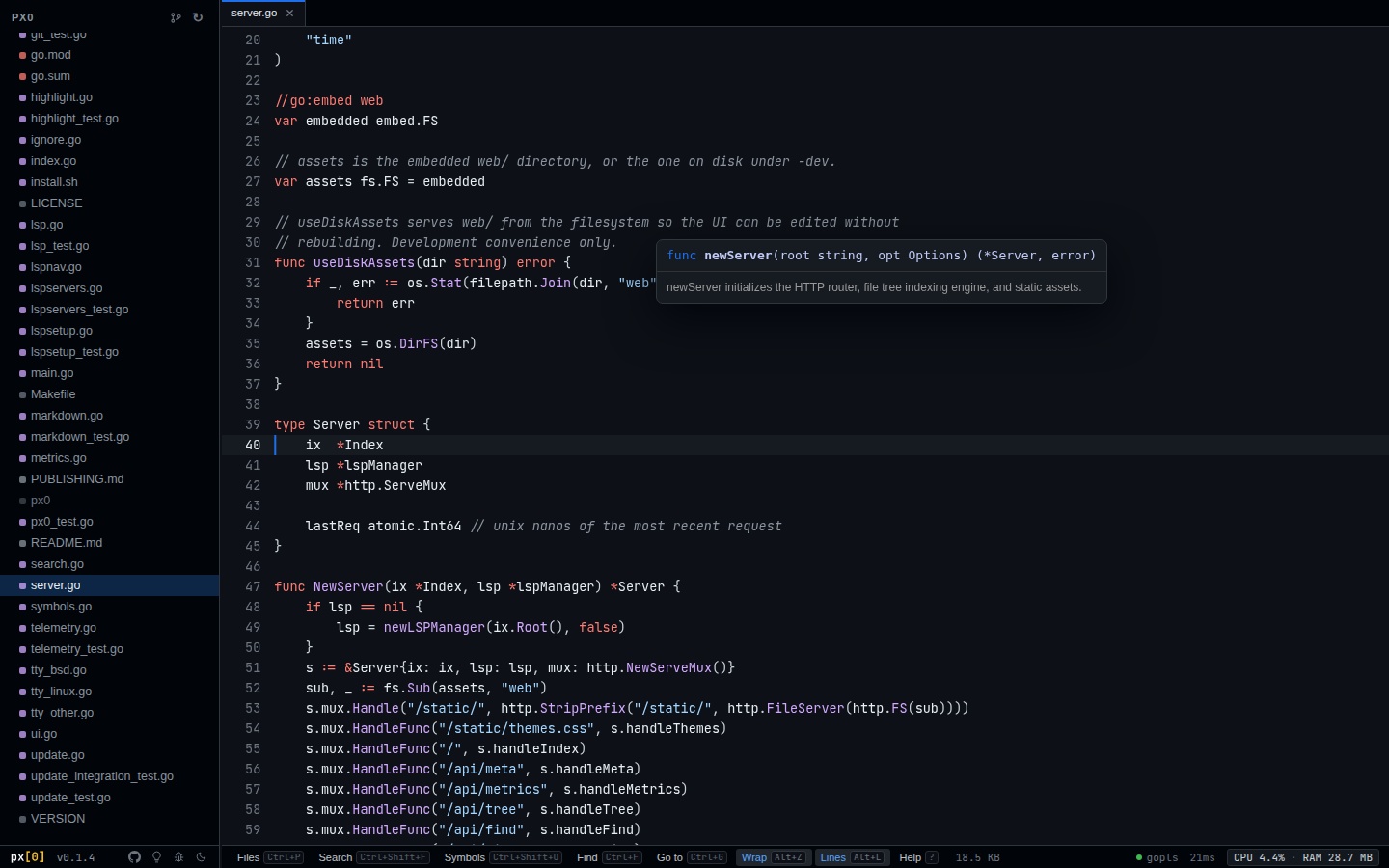
1. Go to Definition (F12 or Ctrl+Click / Cmd+Click)
Place your cursor on any function, struct, interface, or variable and press F12. px0 resolves the definition target and jumps directly to that file and line.
2. Hover Signature & Docs
Hover your cursor over any symbol to display its type signature and markdown documentation.
3. Find All References (Shift+F12)
Press Shift+F12 on any symbol to open the References panel in the Right Inspector. It lists all usages across the entire workspace grouped by file, allowing one-click jumping.
4. Call Hierarchy Trails (Alt+Shift+H)
Trace function callers and callees interactively through the call hierarchy tree.
Disabling LSP & Using Regex Fallbacks
If you want to run px0 without starting language server processes, pass the -no-lsp flag:
px0 -no-lsp /path/to/projectWhen LSP is disabled, px0 falls back automatically to its high-speed regex symbol extractor. Symbol outlines (Ctrl+Shift+O) and fuzzy navigation remain available with zero background server processes.